 Events
Events
Events
Basecamp is where your Sonoran Landesign project lives — messages, schedule, to-dos, documents, and photos, all in one calm place. This page is a quick primer on getting in and finding your way around.
If we’ve invited you to Basecamp, you’ll have received an email invitation to set up your account. Once you’re in, you can always come back here for a refresher — or jump straight to your project with the button below.
Tip: bookmark the Basecamp link, or install the free Basecamp app on your phone, so it’s always a tap away.
Project updates, questions, and decisions — posted in one place so nothing gets lost in email threads.
Plans, selections, proposals, and photos — organized and always available for you to review or download.
The free Basecamp app (iOS & Android) keeps everything in your pocket, with notifications when something needs you.
New to Basecamp? This quick guide from Basecamp walks you through the Home screen and how to get around. Click the image to open it.
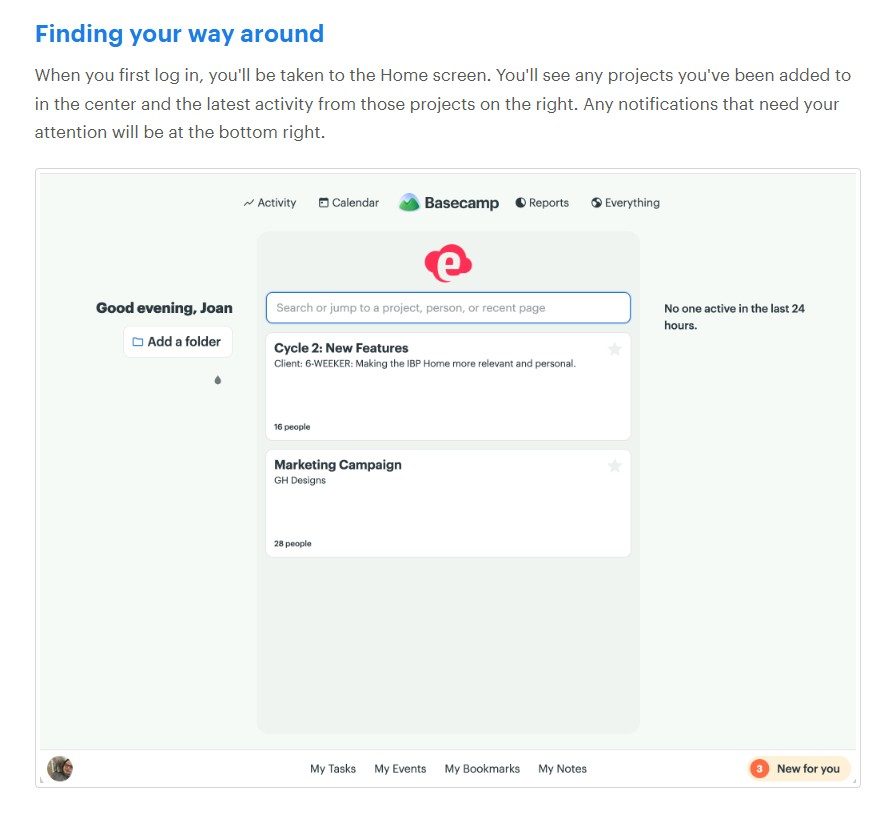
More help any time: basecamp.com/learn · Basecamp Help Center
Can’t get in? If you didn’t receive your invitation, or you’re having trouble signing in, just call us at (602) 404-3221 or email info@sonoran.llc and we’ll get you set up.
This page is for Sonoran Landesign clients. Basecamp is a third-party product; the getting-started videos and help resources linked here are provided by Basecamp (37signals).